
Anúncios
Alexa has revolutionized how we interact with technology at home. Mastering its features can transform your daily routine into a seamless, efficient experience worth exploring today.
Getting Started with Alexa
Visit Amazon Alexa
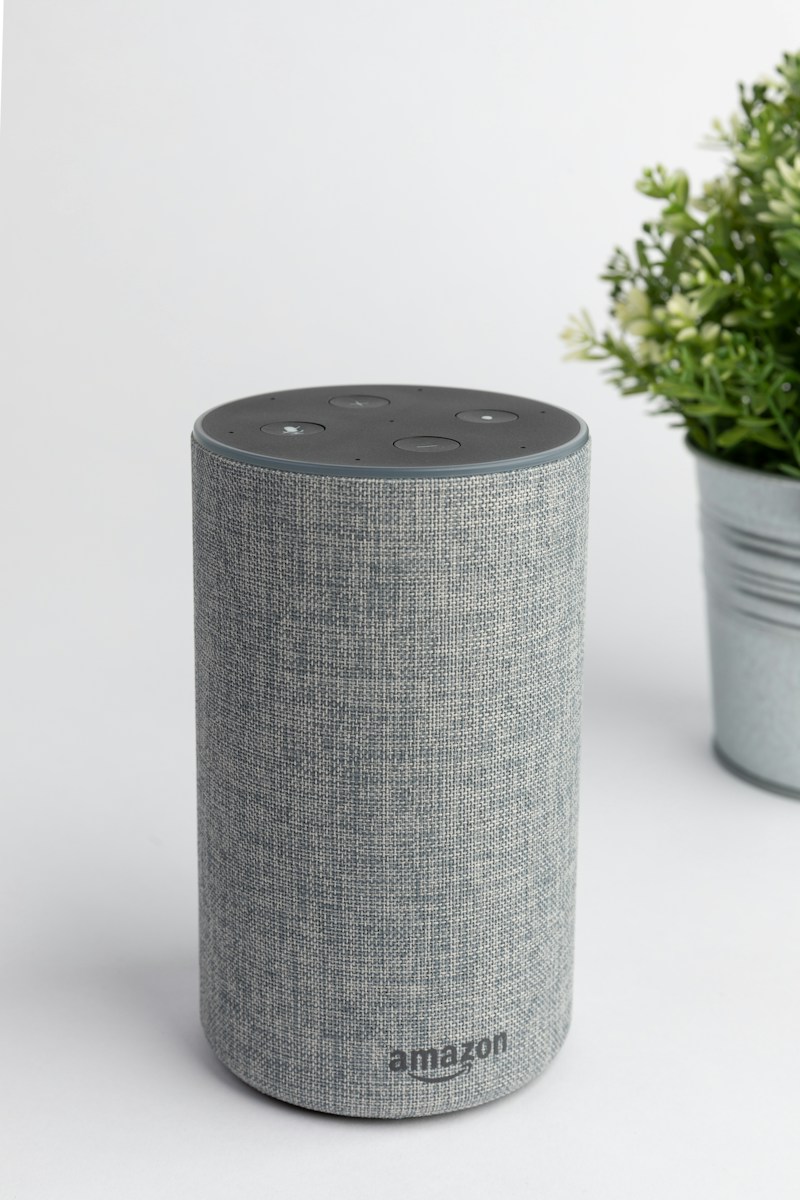
Amazon’s Alexa has become an indispensable companion for millions of users worldwide. Whether you’re new to voice assistants or looking to maximize your existing setup, understanding the full potential of this intelligent platform can significantly enhance your lifestyle.
Anúncios
From controlling smart home devices to managing your schedule, playing music, and even ordering groceries, Alexa’s capabilities extend far beyond simple voice commands. Let’s dive into practical tips that will help you unlock the true power of your Echo device.
🎯 Essential Setup Tips for Maximum Performance
Proper configuration is the foundation of an optimal Alexa experience. Many users rush through the initial setup, missing crucial settings that could dramatically improve functionality and personalization.
Anúncios
Start by placing your Echo device in a central location where it can hear you clearly from multiple rooms. Avoid corners, closets, or areas behind furniture. The device should be at least eight inches away from walls and windows to minimize echo and external noise interference.
Take time to train Alexa to recognize your voice through the Voice Profile feature in the Alexa app. This enables personalized responses, calendar access, and shopping capabilities specific to you. Navigate to Settings > Your Profile & Family > Your Voice to complete this quick but valuable process.
Optimize Your Wi-Fi Connection
A stable internet connection is critical for Alexa’s performance. Position your Echo device within reasonable range of your router, and consider using the 5GHz band if your router supports dual-band connectivity for faster response times.
If you experience frequent disconnections, check your bandwidth allocation. Streaming services, video calls, and downloads can consume resources that slow down Alexa’s responsiveness. Quality of Service (QoS) settings on your router can prioritize smart home devices.
🏠 Transform Your Home with Smart Integrations
Alexa truly shines when connected to compatible smart home devices. The ecosystem includes thousands of products from lighting and thermostats to security cameras and door locks.
Begin with smart lighting, which offers the most immediate and satisfying results. Brands like Philips Hue, LIFX, and Wyze integrate seamlessly. Once connected, you can control lights individually, by room, or create groups for simultaneous control with single commands.
Create routines that trigger multiple actions with one phrase. For example, saying “Alexa, good morning” could turn on lights, read your calendar, provide weather updates, and start your coffee maker automatically. Access Routines through the Alexa app under More > Routines.
Security and Privacy Considerations
Smart home integration requires attention to security. Enable two-factor authentication on your Amazon account and regularly review which devices have access to your Alexa account through the app’s settings.
Use the voice purchasing settings to require a confirmation code for purchases, or disable the feature entirely if you have children in the home. You can manage this under Settings > Account Settings > Voice Purchasing.
🎵 Entertainment Features You Might Be Missing
Alexa offers extensive entertainment capabilities beyond simple music playback. Understanding these features can replace multiple devices and subscriptions in your entertainment setup.
Link your preferred music streaming services like Spotify, Apple Music, Amazon Music, or Pandora. Set a default service to avoid specifying which platform to use with every request. Multi-room music allows synchronized playback across multiple Echo devices for whole-home audio experiences.
Explore Alexa’s podcast capabilities by asking for specific shows or topics. The platform can remember your place in episodes and continue where you left off. Audible integration provides hands-free audiobook listening with similar bookmark functionality.
Hidden Audio Features
Adjust equalizer settings through the app to customize sound output based on your preferences or room acoustics. Navigate to Devices > Echo & Alexa > select your device > Audio Settings for bass, midrange, and treble controls.
Use the “Alexa, follow-up mode” command to ask multiple questions without repeating the wake word. This feature keeps the microphone active for several seconds after each response, creating more natural conversation flow.
📅 Productivity Hacks for Busy Lifestyles
Transform Alexa into your personal assistant with calendar integration, reminders, and list management. Connect your Google, Microsoft, or Apple calendar through the Alexa app to access events hands-free.
Create location-based reminders that trigger when you arrive or leave specific places. This requires enabling location services in the Alexa app but provides powerful functionality for grocery shopping, work tasks, or personal errands.
Use named timers for cooking and multitasking: “Alexa, set a pasta timer for 10 minutes” and “Alexa, set a bread timer for 25 minutes.” This prevents confusion when managing multiple time-sensitive tasks simultaneously.
Shopping and To-Do Lists
Maintain synchronized shopping lists accessible from your phone while at the store. Simply say “Alexa, add milk to my shopping list” as you notice items running low. Family members with Alexa access can contribute to shared lists.
Create separate lists for different purposes—groceries, home improvement projects, gift ideas, or books to read. Organize your thoughts and tasks efficiently without opening apps or finding paper.
🔧 Advanced Customization with Skills
Skills are third-party applications that extend Alexa’s functionality dramatically. The Skills store contains over 100,000 options across categories like news, games, health, education, and productivity.
Enable skills relevant to your interests and lifestyle. Popular options include meditation guides like Headspace, sleep sounds from Sleep Sounds, recipe assistance from Allrecipes, and language learning through Duolingo.
Some skills require account linking to access personalized content. Follow the in-app prompts to connect services securely. Regularly review and disable unused skills to keep your experience streamlined and responsive.
Create Custom Commands with Routines
Advanced users can create sophisticated routines that trigger based on time, device state, or voice commands. Combine smart home actions, announcements, music, news briefings, and wait periods between actions.
Use Alexa Guard to automatically switch your Echo devices into security mode when you leave home. This feature listens for smoke alarms, carbon monoxide detectors, or breaking glass, sending alerts to your phone if detected.
🗣️ Communication Features for Staying Connected
Alexa enables free voice and video calls between Echo devices and the Alexa app on smartphones. Set up contacts through the app to call friends and family instantly with voice commands.
The Drop In feature allows instant connection to specific Echo devices without them needing to answer. This works excellently for checking in on elderly relatives, communicating between floors in multi-story homes, or quick family announcements.
Announcements broadcast messages to all Echo devices simultaneously. Say “Alexa, announce dinner is ready” and every Echo in your home will relay the message—perfect for families spread across different rooms.
Privacy Controls for Communication
Manage who can Drop In on your devices through the app settings. Restrict this feature to household members only or disable it entirely if you prefer traditional calling methods.
Review your voice recordings periodically and delete them if desired. Access this through Settings > Alexa Privacy > Review Voice History. Enable automatic deletion after three or 18 months for ongoing privacy management.
⚡ Troubleshooting Common Issues
Even well-configured systems encounter occasional problems. Understanding common issues helps you resolve them quickly without contacting support.
If Alexa stops responding, check the light ring. Red indicates microphone mute, purple suggests Do Not Disturb mode, and orange means the device is attempting to connect to Wi-Fi. Each color provides diagnostic information about the current state.
Unresponsive devices often benefit from a simple restart. Unplug the Echo device for 30 seconds, then reconnect. This clears temporary glitches and re-establishes network connections without affecting your settings or skills.
Wi-Fi Connectivity Problems
If Alexa frequently loses Wi-Fi connection, forget the network in the app and reconnect fresh. Navigate to Devices > Echo & Alexa > select device > Wi-Fi Network > Forget. Then complete the setup process again with your network credentials.
Router placement, interference from other electronics, and outdated firmware can all impact connectivity. Ensure your router firmware is current and consider relocating devices that might cause interference like microwaves or baby monitors.
🌟 Lesser-Known Features Worth Exploring
Alexa contains numerous hidden capabilities that even experienced users often overlook. These features can add significant value to your daily interactions.
Whisper Mode allows Alexa to respond in a whisper when you whisper your command. Enable it through Settings > Voice Responses > Whisper Mode. This feature proves invaluable during early mornings or late nights when others are sleeping.
Brief Mode reduces verbal responses, replacing them with short tones for simple confirmations. Enable this under Settings > Voice Responses > Brief Mode when you prefer less chatty interactions throughout the day.
Fun and Unexpected Commands
Try asking Alexa to tell jokes, provide interesting facts, or play interactive games. Commands like “Alexa, tell me something interesting” or “Alexa, play Jeopardy” unlock entertainment features that showcase the platform’s personality.
Explore Easter eggs by asking questions like “Alexa, what is your quest?” or “Alexa, do you know the muffin man?” These playful responses demonstrate the human touch programmed into the assistant’s responses.
🔒 Privacy and Data Management Best Practices
Understanding how Alexa handles your data empowers you to make informed decisions about privacy settings and usage patterns.
Voice recordings help improve Alexa’s accuracy but can be managed according to your comfort level. Disable the option to use recordings for service improvement through Settings > Alexa Privacy > Manage How Your Data Improves Alexa.
Mute the microphone using the physical button on your device when you want guaranteed privacy. The red light ring confirms that Alexa cannot hear or record anything until you unmute it manually.
Managing Smart Home Device Access
Regularly audit which third-party skills and services have access to your Alexa account. Remove unused permissions through Settings > Account Settings > Third-party Services to minimize potential security vulnerabilities.
Create a separate Amazon account for shared family Echo devices if you prefer keeping personal information like shopping history and calendars private from household members.
💡 Maximizing Battery-Powered Echo Devices
For portable Echo devices like Echo Dot with Clock or Echo Show, battery management extends usefulness significantly. Adjust screen brightness and timeout settings to conserve power during mobile use.
Disable unnecessary features like Drop In or constant listening when using battery power away from home. These adjustments extend operational time significantly while maintaining core functionality for music and queries.
Keep firmware updated to benefit from battery optimization improvements Amazon regularly releases. Updates install automatically when connected to power and Wi-Fi, ensuring you always have the latest efficiency enhancements.
🎓 Teaching Alexa Your Preferences
The more you interact with Alexa, the better it understands your preferences and habits. This learning process improves recommendation quality and response accuracy over time.
When Alexa misunderstands a command, correct it immediately by rephrasing or saying “Alexa, that’s wrong.” This feedback helps the system learn your speech patterns and preferred terminology for future interactions.
Rate music recommendations with thumbs up or down commands to refine station selections. Say “Alexa, thumbs up” when you enjoy a song to hear similar tracks more frequently in personalized stations.
Household Profiles for Multiple Users
Set up Amazon Household to allow multiple adults in your home to access their individual content, calendars, and preferences through voice recognition. Each person receives personalized responses based on who’s speaking.
Child profiles restrict access to age-appropriate content and skills while allowing parents to review activity through the Parent Dashboard. This provides peace of mind when children interact with Echo devices independently.

🚀 Future-Proofing Your Alexa Experience
Stay informed about new features and capabilities Amazon regularly adds to the platform. Enable notifications in the Alexa app to receive announcements about feature releases and compatible device expansions.
Invest in compatible smart home devices that support Matter, the new unified standard for smart home connectivity. This ensures your ecosystem remains compatible with future updates and cross-platform integrations.
Experiment with new skills and features regularly to discover functionality that improves your daily routine. The platform evolves constantly, with innovations that transform how voice assistants integrate into modern life.
Alexa represents more than just a voice assistant—it’s a comprehensive platform for home automation, entertainment, productivity, and communication. By implementing these tips and exploring capabilities beyond basic commands, you unlock tremendous value from your investment. Remember that mastery comes through experimentation and regular use, so don’t hesitate to try new features and customize settings to match your unique lifestyle and preferences. 🌟
